
sales assistant ai
|2026-05-02
Sales Assistant AI: Your Guide to Smarter Prospecting
Learn how a sales assistant AI can automate lead enrichment, qualification, and outreach to boost meetings booked. A complete guide for SDRs and RevOps.
75% of sales teams are leveraging AI-powered sales assistants in 2025, and that adoption is tied to a 30% average increase in revenue growth plus a 25% reduction in sales cycle length, according to RevEmpire’s 2025 AI in sales statistics roundup.
That number matters because most SDR teams still lose hours to the same routine work: finding the right contact, checking whether the email is valid, updating CRM fields, building first-touch messaging, and trying to keep outreach consistent across channels. None of that is where strong reps create the most value. The value shows up in judgment, timing, objection handling, and live conversations.
A good sales assistant ai changes the operating model. It doesn't just automate one step. It removes the manual handoffs between research, qualification, enrichment, outreach, and follow-up so the rep spends more time selling and less time assembling the list.
The End of Manual Prospecting
Manual prospecting breaks down in predictable ways. The list is stale before the sequence starts. Reps research accounts one by one, so coverage stays narrow. Contact data gets copied between spreadsheets, enrichment tools, and the CRM. Then leadership wonders why pipeline quality is inconsistent.
That old workflow isn't just slow. It creates avoidable variance across the team. One SDR writes strong prompts and keeps fields clean. Another doesn't. One rep checks contact validity before launch. Another sends anyway. The process depends too much on individual discipline.
The shift to sales assistant ai matters because it standardizes the parts of outbound work that shouldn't depend on memory or patience.
What manual prospecting usually gets wrong
- Research is fragmented: Reps bounce between LinkedIn, company sites, CRMs, intent tools, and enrichment vendors.
- Qualification is inconsistent: Different reps apply ICP rules differently, so routing and prioritization drift.
- Speed suffers: By the time a rep finishes research, the buyer may already be in a conversation with someone else.
- Coverage stays shallow: Teams talk about account-based prospecting, but many still work account by account with no reliable system.
A lot of teams don't need more prospecting advice. They need a workflow that enforces it. If you're still building outbound from browser tabs and CSV exports, it's worth revisiting these sales prospecting best practices and then asking a harder question: which parts should still be manual?
Manual prospecting made sense when tooling was fragmented and AI wasn't operationally useful. That's no longer the environment.
The practical takeaway is simple. If your reps are still spending large parts of the day hunting for contact data and cleaning records, your process is already behind the market.
What Exactly Is a Sales Assistant AI
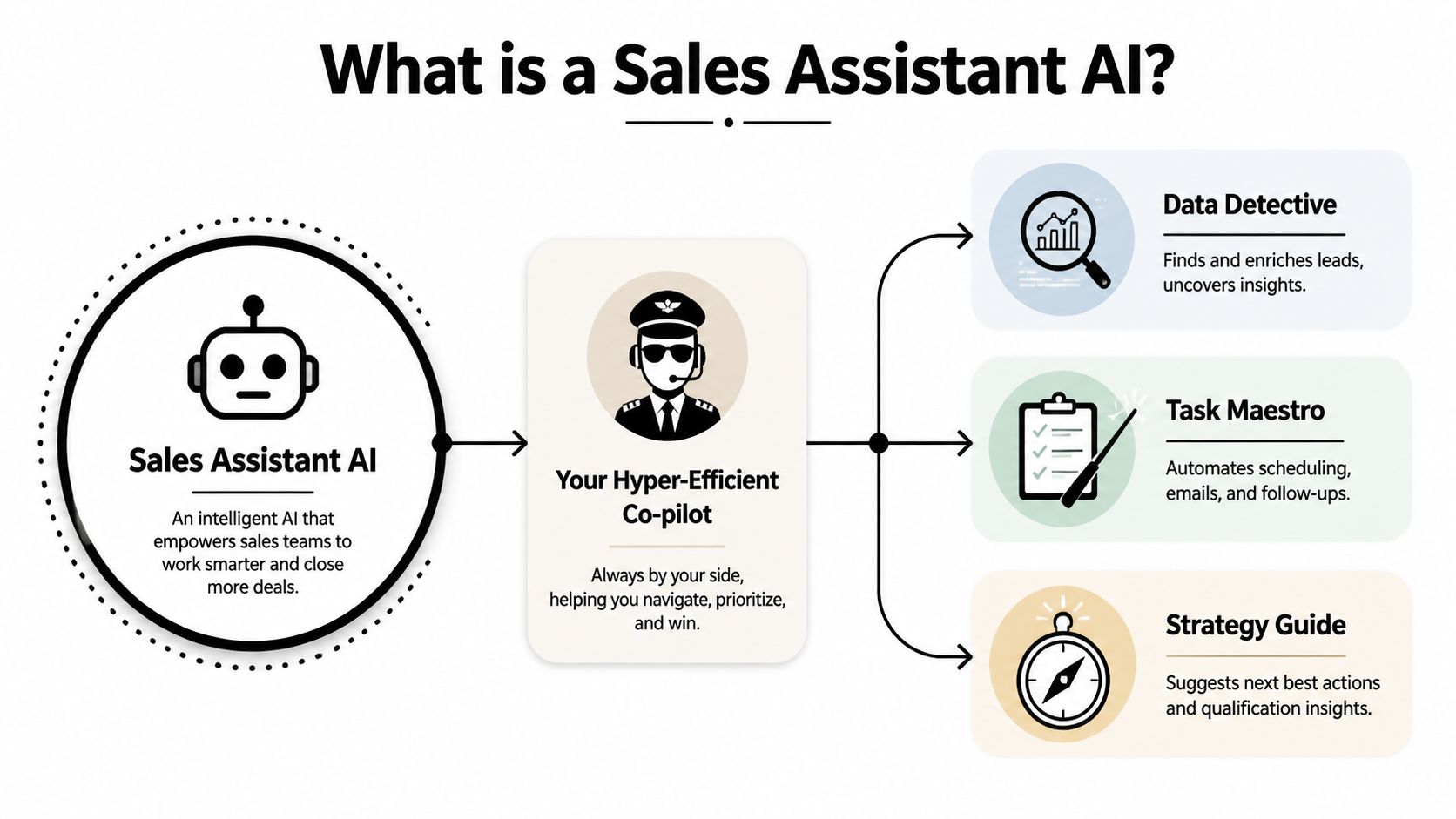
A sales assistant ai is a digital teammate that handles repetitive sales work across systems, not just a single automation rule or a chatbot sitting on top of your inbox.
The easiest way to think about it is this: it acts like a hyper-efficient co-pilot for SDRs and RevOps. It researches accounts, enriches records, helps qualify who matters now, drafts or triggers outreach, and keeps the system updated as signals change. A basic automation tool follows a fixed rule. A sales assistant ai adapts based on data, activity, and context.
Not just a chatbot, and not just a sequence tool
Basic tools usually do one thing well. An email sequencer sends steps. A chatbot answers simple prompts. A CRM workflow moves a field from one stage to another.
A real sales assistant ai works across those categories:
- It researches: pulls together account and contact context.
- It enriches: fills missing firmographic, technographic, and contact data.
- It prioritizes: surfaces who should get attention first.
- It executes: supports or triggers next actions in outreach and follow-up.
- It syncs: updates records so the system of record stays usable.
If you want a good primer on the broader category, EmailScout’s guide to sales automation for sales professionals{rel="nofollow"} is useful because it separates simple workflow automation from more operational sales tooling.
Where teams get confused
Some teams buy point tools and assume they've bought AI. Usually they haven't. They've bought isolated task automation.
The difference shows up in the workflow. If your rep still has to export a list, run enrichment elsewhere, verify contact data in another tool, write prompts manually, then push updates back into the CRM, that's not an AI assistant. That's a rep doing system orchestration.
Practical rule: If the rep is still acting as the middleware between tools, you haven't implemented a sales assistant ai. You've just added software.
The strongest implementations feel less like adding another dashboard and more like removing steps that nobody should be doing by hand in the first place.
Core Capabilities That Drive Pipeline
The useful way to evaluate sales assistant ai isn't by asking whether it has AI. That's marketing language. The better question is whether it improves the parts of the funnel that directly affect pipeline creation and conversion.
Lead and account enrichment
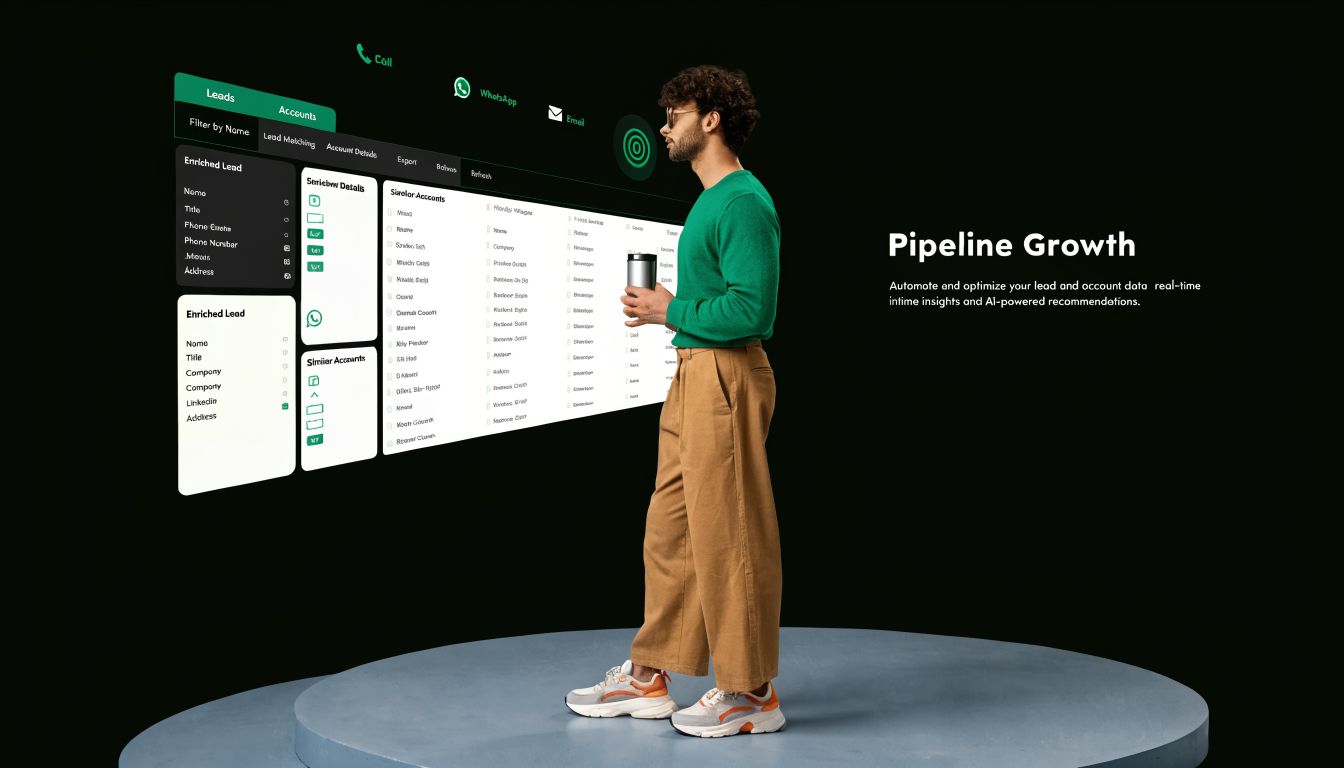
Bad data poisons everything downstream. If the company size is wrong, routing breaks. If the email is invalid, deliverability suffers. If the phone number is missing, your multi-channel motion collapses into email-only.
This is why enrichment sits at the front of the workflow. The assistant should append missing fields, validate contactability, and make the account record usable before reps touch it. For teams that need direct contact discovery as part of that process, an unlimited email finder is often one of the first capabilities worth evaluating.
AI-powered lead qualification
The measurable gains often show up fastest with AI sales assistants. According to MarketsandMarkets on choosing the right AI sales assistant, AI sales assistants use intelligent lead scoring to analyze hundreds of data points, resulting in a 25% increase in conversion rates, a 60% reduction in manual verification time, and a 30% improvement in decision-making accuracy.
That matters because most qualification frameworks fail in practice for one reason: reps don't have time to apply them consistently. AI can evaluate behavioral signals, firmographic fit, technographic context, and historical conversion patterns at the same time. Humans usually approximate.
Outreach automation
Once the system knows who matters, the next bottleneck is action. The assistant should trigger the next step without forcing the rep to rebuild context from scratch.
That can include:
- Sequence enrollment: Add qualified prospects to the right outbound motion.
- Channel coordination: Keep email, phone, and social actions aligned.
- Follow-up timing: Adjust based on engagement or lack of response.
- CRM hygiene: Log outcomes so managers aren't reviewing fiction.
Some teams also use adjacent tools for inbound call handling or front-line call workflows. If that's part of your stack, these 2026 AI call answering insights{rel="nofollow"} are a useful complement to outbound-focused sales assistant planning.
Scalable personalization
Personalization is one of the most abused words in outbound. Often, it implies token insertion. Real personalization uses relevant company and contact context without turning every message into a hand-written research project.
The assistant should help the rep move from generic templates to context-aware messaging at volume. That usually means pulling in recent company activity, job-role relevance, and account-level fit signals. The rep still needs to judge tone and commercial relevance. But the machine should do the assembly work.
High-performing teams don't use AI to remove human judgment. They use it to remove repetitive prep.
If a platform can't help your team enrich, qualify, automate action, and personalize at scale, it's not driving pipeline. It's just adding another tab.
A Day in the Life With an AI Sales Assistant
A good sales assistant ai isn't most visible in a product demo. It's visible in how an SDR's day stops fragmenting.

At the start of the morning, a batch of inbound demo requests lands in the CRM. Without assistance, the rep checks company size, role, industry, and whether the contact record is complete. Then they search for missing data, verify the email, and decide whether the lead deserves immediate follow-up.
With a working AI-assisted flow, that triage happens before the SDR opens the queue. Missing fields are appended. Low-fit records are flagged for review. Better-fit leads get surfaced with context attached, so the rep can respond instead of investigate.
Mid-morning account building
Later, the SDR needs a list of target accounts for a new segment. Normally that means pulling firmographic filters from one tool, checking technographics somewhere else, deduplicating records, and hoping the export matches CRM field structure.
A sales assistant ai compresses that mess into one workflow. The rep defines the target profile, the system builds the list, enriches it, and prepares it for routing or outreach. If the platform connects cleanly to existing systems, the handoff stays tight. That's where native CRM and workflow integrations matter more than flashy prompting features.
Afternoon outreach and follow-up
By the afternoon, the rep isn't starting from a blank page. The assistant has already assembled account context and contact details, so the SDR can review message quality, make adjustments, and launch outreach across channels without juggling disconnected tools.
The second gain is operational. Replies, bounces, and status changes don't have to wait for the rep to manually update fields later.
Here's a practical walkthrough worth watching if you're thinking about how AI changes day-to-day selling motions:
What actually changes for the rep
The biggest shift isn't that reps do nothing. It's that they stop doing low-impact work.
- Less tab-switching: Fewer handoffs between enrichment, verification, and sequencing tools.
- Cleaner prioritization: Better-fit accounts rise to the top without manual sorting.
- Faster execution: Outreach starts from context, not from a blank spreadsheet.
- Better manager visibility: Activity and record updates stay closer to reality.
The rep still owns the conversation. The assistant owns the setup.
How to Measure the ROI of Your Sales AI
RevOps teams get in trouble when they buy AI on narrative and measure it on vibes. If you want a credible business case, tie the rollout to a small set of operating metrics that leadership already trusts.
The right question isn't whether the team likes the tool. It's whether the workflow produces cleaner data, faster action, and more efficient pipeline creation.
KPIs that actually matter
| KPI | Traditional Benchmark | AI-Enhanced Goal | Business Impact |
|---|---|---|---|
| Lead Response Time | Often delayed by manual triage and research | Faster initial follow-up because records arrive enriched and prioritized | Better speed-to-lead and fewer missed high-intent opportunities |
| Data Accuracy Rate | Varies by rep process and source quality | Higher consistency through automated enrichment and validation | Cleaner routing, reporting, and outreach execution |
| MQL-to-SQL Conversion Rate | Limited by inconsistent qualification | Improved qualification quality through AI scoring and prioritization | More pipeline from the same inbound or outbound volume |
| Meetings Booked per SDR | Constrained by admin time and list quality | More selling time and better targeting | Higher output per rep without forcing more activity for activity’s sake |
| Sales Cycle Length | Slowed by poor targeting and weak follow-up | Shorter cycles when qualification and next-step execution improve | Faster pipeline movement and more predictable forecasting |
Build the baseline before rollout
Before you implement anything, document the current state for each KPI. Don't wait until after launch and try to reconstruct the baseline from old dashboards.
In practice, that means pulling a clean pre-rollout snapshot of response times, conversion rates, and rep output. If your team is also evaluating broader workflow changes, this guide to automated lead generation software is a good reference point for what should be measured at the system level.
Watch for leading indicators first
Revenue impact takes longer to show up. Early wins usually appear in operational indicators before they show up in closed-won numbers.
Look first at:
- Record completeness: Are reps receiving better records at the start of the process?
- Queue quality: Are the right accounts getting prioritized more consistently?
- Rep time allocation: Are SDRs spending less time on verification and admin?
- Workflow compliance: Are CRM updates and sequence actions happening with less manual chasing?
Treat AI rollout like a process redesign, not a feature launch. If the workflow doesn't change, the ROI won't either.
The teams that get value fastest usually start narrow. One segment, one queue, one outbound motion. Then they expand after the measurement model is stable.
Common Pitfalls and How to Avoid Them
Most sales assistant ai projects don't fail because the model is bad. They fail because the operating assumptions are bad.
Teams over-automate too early. They trust weak data. They skip rep training because the tool looks intuitive. Then they wonder why usage drops or why quality drifts after the first burst of enthusiasm.
The risk nobody mentions enough
According to Apollo’s discussion of first AI sales assistant deployments, a 2022 academic study revealed unintended consequences, including reduced human oversight and potential ethical issues. The same piece notes that Salesforce says reps spend only 28% of their time selling, while current reporting still doesn't quantify post-adoption skill erosion from over-reliance on AI.
That gap matters. Short-term productivity can mask long-term weakness if reps stop learning how to research, qualify, and write on their own.
Four mistakes that show up repeatedly
- Letting AI decide without review: Reps still need to sense-check priority accounts and messaging.
- Choosing on interface, not data quality: A polished UI won't save weak enrichment or poor verification.
- Ignoring workflow fit: If the tool doesn't match your CRM and routing logic, reps create side processes.
- Treating enablement as optional: People need rules for when to trust the system and when to override it.
What works better
Start with bounded use cases. Inbound triage is a good one. Enrichment before outbound launch is another. Those use cases create immediate operational value without handing the entire decision process to the machine.
Then make human review explicit:
- Define override points: Decide where reps or managers must review AI output.
- Audit output regularly: Check scoring quality, message relevance, and CRM updates.
- Train for judgment: Teach reps why the tool made a recommendation, not just how to click approve.
- Keep documentation current: When ICP rules change, the system needs to change with them.
AI should compress admin work. It shouldn't replace rep thinking.
If you design the rollout around that principle, adoption tends to be healthier and the team gets stronger instead of more dependent.
Why RevoScale Is Your All-in-One AI Sales Engine
For SMBs and agencies, the hard part usually isn't finding a tool with AI in the headline. The hard part is deploying multi-channel outbound automation without piling on technical debt, workflow friction, and compliance questions.
That gap is called out directly in Salesforge’s analysis of AI sales assistant tooling{rel="nofollow"}: for SMBs and agencies, a key challenge is deploying multi-channel outbound automation with enterprise-grade compliance, and many tools still lack specifics on scaling without code or retaining 97%+ data accuracy across global providers. The same analysis notes that compliance features like SOC 2 Type II are often under-discussed outside expensive enterprise platforms.
Why the all-in-one model matters
Tool sprawl becomes expensive. One vendor handles enrichment. Another verifies email. Another runs sequencing. Another stores contact intelligence. Then RevOps ends up maintaining sync logic between all of them.
A unified operating layer is cleaner because the same system can handle:
- Enrichment across multiple providers
- Email finding and verification
- Phone and company data discovery
- Outbound workflow execution
- Security and access controls
For teams comparing categories, this roundup of AI sales automation tools for 2026 is a useful place to see how different approaches stack up.
Where RevoScale fits
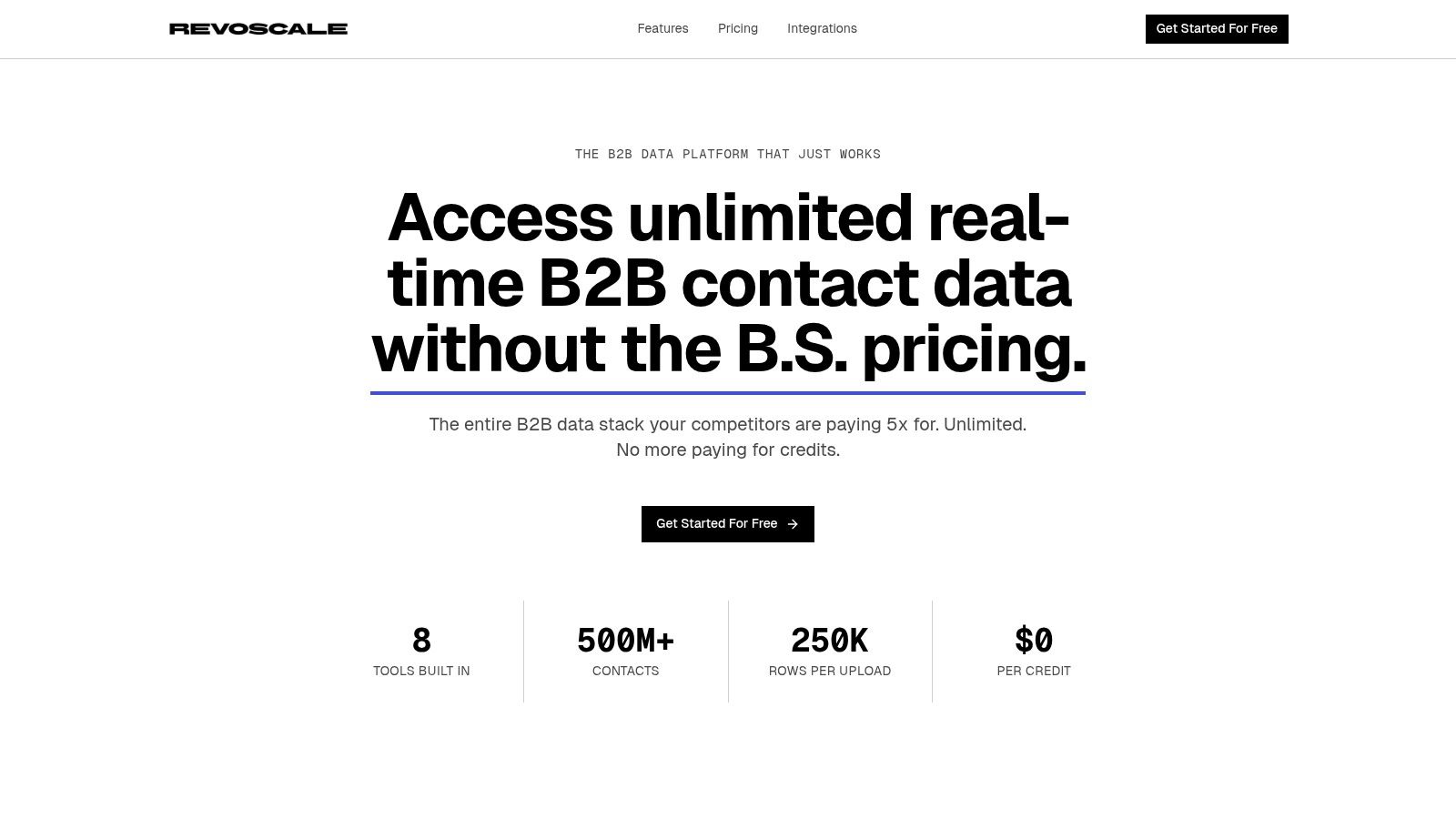
RevoScale is built around that all-in-one model. It combines data enrichment, email finding, email verification, mobile phone finding, Google Maps scraping, and outbound automation in one platform. The product uses AI waterfall enrichment across 50+ data providers, supports 97%+ accuracy, processes large volumes quickly, and includes enterprise controls such as SOC 2 Type II, SSO, RBAC, and REST API access. It also uses flat-rate pricing instead of credit-based usage, which changes the rollout math for SMB teams and agencies that don't want every enrichment pass or verification check to become a budget decision.
If you're comparing point tools in the contact-data category, this Hunter.io alternative breakdown is relevant because it highlights the difference between single-function tools and broader workflow platforms.
The practical upside is less about having more features. It's about reducing the number of breakpoints in the workflow.
Frequently Asked Questions About Sales AI
Will a sales assistant ai replace my SDR team
No. The useful version augments SDRs instead of replacing them.
The rep still owns judgment, timing, and live interaction. AI handles the repetitive work that usually slows down good reps: research prep, data assembly, initial qualification support, workflow triggers, and record updates. Teams get into trouble when they expect the system to replace critical thinking.
How much technical skill does implementation require
That depends on the platform. Some tools still assume a fairly technical operator who can manage integrations, field mapping, and workflow logic across multiple systems.
Others are much more accessible. In practice, the smoother rollouts happen when sales ops can configure the core workflow without waiting on engineering for every change.
Is AI personalization better than manual research
At scale, yes. For one account, a strong SDR can usually outwrite generic automation. But the trade-off is capacity.
AI helps the team apply relevant context across far more accounts than a manual process can support. The rep's job is to review, sharpen, and make sure the message sounds commercially useful, not generic. The machine amplifies capabilities. The human protects quality.
What's the first use case worth deploying
Start where the team already feels pain every day.
For most SMB and mid-market teams, the cleanest first use cases are inbound lead enrichment, outbound list qualification, or contact data verification before launch. Those workflows are frequent, measurable, and easy to compare against the old manual process.
How should agencies think about adoption differently
Agencies usually need predictable cost control, cleaner client separation, and repeatable workflows across accounts. That makes unlimited or flat-rate models easier to operationalize than credit-heavy tools, especially when usage varies across clients.
The other difference is compliance. Agencies often touch multiple client environments, so role-based access and security controls matter earlier than many in-house teams expect.
If you want to test a practical sales assistant ai workflow without stitching together multiple credit-based tools, try RevoScale. You can start with the free trial, connect your workflow, and evaluate flat-rate pricing against tools that charge by credits, rows, or provider lookups.